This guide explains how Grower's Deep Analysis types provide granular insights into campaign performance. It walks through the different analysis options — from comprehensive Deep Analysis to focused evaluations of conversions, budget, content, and audience. Results are stored in the AI Hub, helping you troubleshoot, improve campaigns, and align with marketing goals.
Deep Analysis is a cutting-edge feature within Grower that provides an in-depth examination of your marketing campaigns. Whether you're looking for a holistic performance review or want to focus on specific aspects like budget allocation or audience targeting, Grower offers multiple analysis types to meet your needs. These tools transform raw data into actionable insights, offering the clarity needed to refine your strategy and maximize ROI!
This guide will walk you through accessing and using the different Deep Analysis types, understanding their scope, and unlocking their full potential. By leveraging these advanced AI capabilities, you can ensure every campaign detail — no matter how small — is accounted for and optimized for success.
Types of Deep Analysis
Grower offers five distinct analysis types, each designed to address specific aspects of campaign performance:
- Deep Analysis: Provides a comprehensive examination of your campaign's performance, evaluating structural setup, budget allocation, audience targeting, and content effectiveness. This holistic analysis covers all bases, delivering detailed insights across every facet of your campaign.
- Conversion Analysis: Examines conversion performance and funnel effectiveness, identifying optimization opportunities in your conversion path and helping you understand which campaigns, ad sets, or ads are driving the most valuable actions.
- Budget Analysis: Evaluates spending efficiency and budget allocation across your campaigns, identifying opportunities to redistribute resources for maximum ROI and ensuring your budget aligns with performance and business goals.
- Content Analysis: Reviews creative elements including ad copy, visuals, and messaging to identify what resonates best with your audience. Provides insights into which content types drive engagement and conversions.
- Audience Analysis: Assesses your target audience characteristics, engagement levels, and how well your campaigns align with your ideal customer profile. Helps refine targeting strategies to reach the right people at the right time.
Accessing Deep Analysis in a Campaign Group
To initiate any Deep Analysis at the Campaign Group level, start by navigating to the Campaign Groups page by clicking the "Campaign Groups" tab in the side menu. Locate the Campaign Group you wish to analyze, and click on its name to enter.
Once inside, locate the "Performance" tab in the Campaign Group's navigation bar. The Performance module is divided into the following subtabs: Ad Channels, Web, App, and AI Hub.
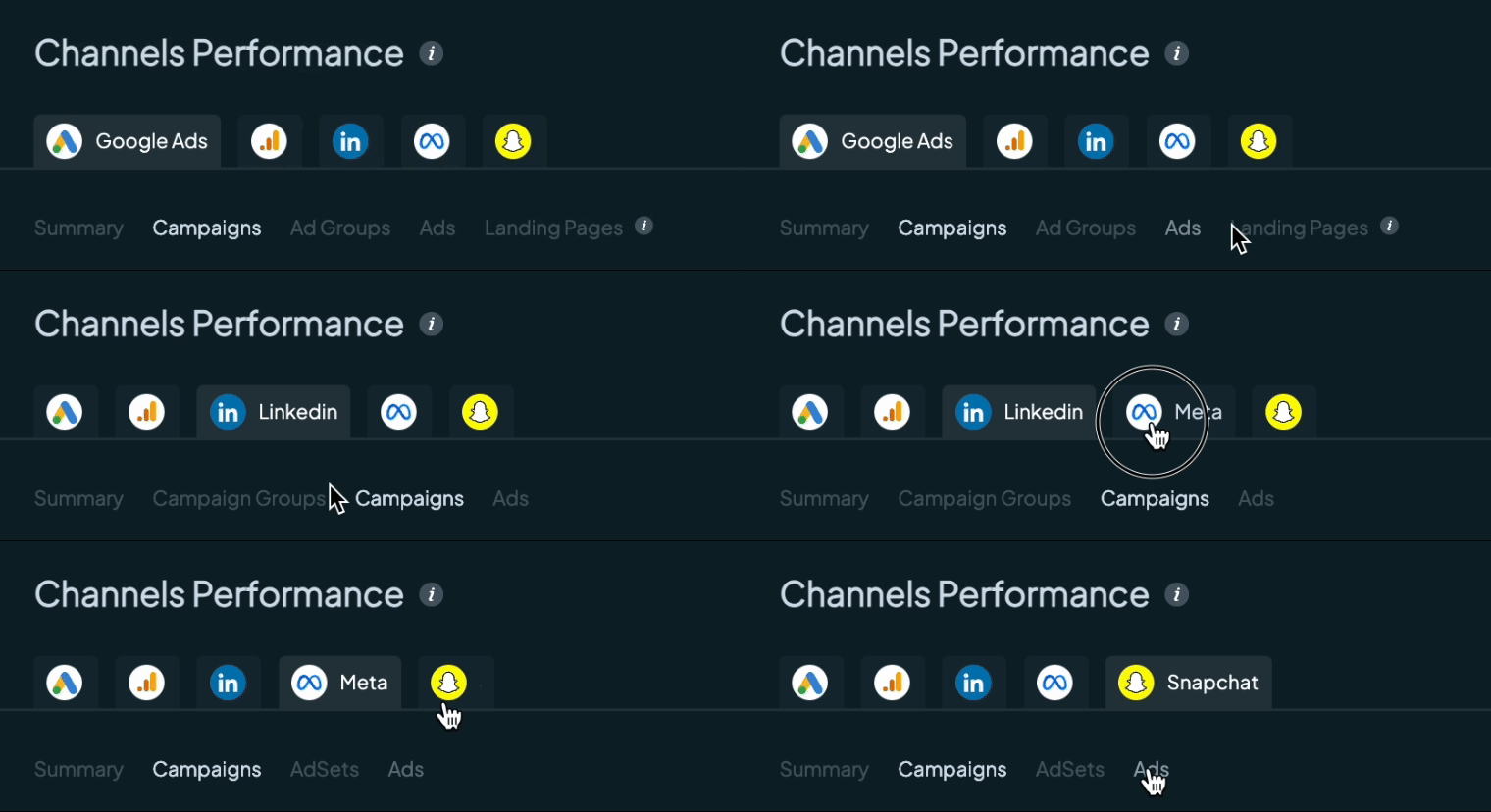
For Ad Channel Data: Navigate to the Ad Channels subtab. Scroll to the Channels Performance section, where associated digital channels are displayed.
From here, select the platform you want to analyze.

After selecting the platform, you'll need to specify the level of analysis, which may vary depending on the platform. For example, LinkedIn Ads offers three levels of analysis: Campaign Groups, Campaigns, and Ads. Other platforms may have different levels, such as Campaigns, Ad Sets, and Ads.
For App Data: Navigate to the App subtab, then go to the Campaigns Reporting section. Select the level of analysis for app campaigns:
- Campaigns
- Ad Groups
- Creatives
It's important to note that in order to successfully run any Deep Analysis, there must be data available in the selected row. Without sufficient data, the analysis cannot proceed. Additionally, you cannot run multiple Deep Analyses simultaneously, ensuring uninterrupted processing for each session.
After selecting the platform and level, locate the row you want to analyze and initiate the analysis by clicking on the on your chosen analysis type button (Dropdown options: Deep Analysis, Conversion Analysis, Budget Analysis, Content Analysis, or Audience Analysis). Once the analysis is complete, its results will automatically be stored in the AI Hub (located in the Performance module under the AI Hub subtab). This allows you to access past analyses and review the insights and recommendations provided, ensuring you can refer back to valuable data-driven conclusions any time.
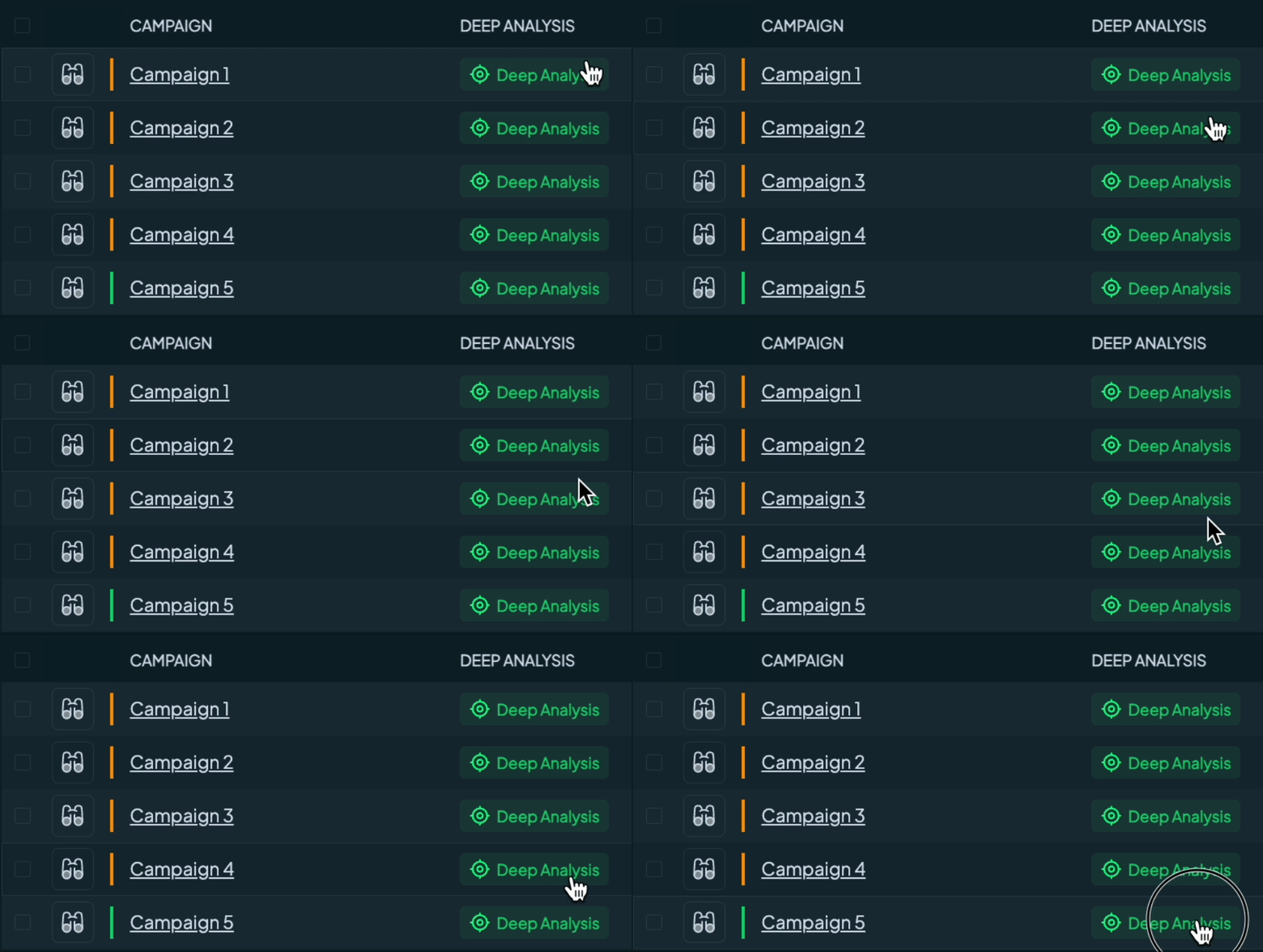
The deeper the level you choose — for instance, analyzing individual ads rather than the overall campaign — the more detailed and actionable the insights will be. By leveraging Deep Analysis types effectively, you can refine your marketing strategy and drive impactful results.
Understanding Deep Analysis Results and Suggested Actions
Once you initiate any Deep Analysis type, Grower's AI processes your campaign data and delivers comprehensive insights tailored to your selected focus area. But the value doesn't stop at insights — each analysis goes a step further by providing actionable recommendations designed to improve your campaign outcomes.
What You Get After Running an Analysis:
After any Deep Analysis type completes, you'll receive:
- Complete Analysis Summary: A detailed breakdown of your campaign's performance across the evaluated dimensions (structure, budget, audience, content, or conversions, depending on the analysis type selected).
-
Suggested Actions: Specific, actionable recommendations to address identified issues and optimize performance. Each suggested action includes:
- Action Title: A clear, concise summary of the recommended action
- Detailed Description: A comprehensive explanation of why this action matters, what it addresses, and how it can improve your campaign results
-
Action Options: Two simple choices to manage each recommendation:
- Approve: Accept the recommendation and move forward with implementation
- Dismiss: Remove the suggestion if it doesn't align with your strategy
Turning Suggestions Into Tasks:
When you approve a suggested action, Grower makes implementation seamless. Click Create Task and the system automatically generates a task with pre-filled details based on the recommendation — all you need to do is assign it to the appropriate team member. This workflow ensures that valuable insights translate directly into executable actions, bridging the gap between analysis and optimization.
Let's explore what this looks like in practice with a real example of Content Analysis results:
Accessing Deep Analysis in a Group
Running Deep Analysis at the Group level follows a similar process, with a few key differences. Begin by navigating to the Campaign Groups section by clicking the "Campaign Groups" tab in the side menu and locate the desired Campaign Group. Click on its name to enter.
Within the Campaign Group, click the "Groups" tab in the Campaign Group's navigation bar. This will take you to the Associated Groups page, where all Groups within the Campaign Group are displayed.
Click on the name of the Group you want to analyze, and you’ll be taken to the Group's Summary page. From here, navigate to the "Reporting" tab in the Group’s navigation bar. The Reporting tab provides detailed performance data for all campaigns within the Group.
For more details on what the Reporting tab offers, refer to our Reporting Insights Guide. This guide explores other powerful features available that enhance your analysis and reporting.
When any Deep Analysis is run on a Group, the results are saved in two locations for seamless access and review. First, the analysis is stored in the "Deep Analysis" tab within the Group's Reporting page, allowing you to easily reference it directly at the Group level. Additionally, the same analysis is saved in the AI Hub (located in the Performance module under the AI Hub subtab) of the parent Campaign Group to which the Group belongs.
This dual storage ensures that your insights are readily available both at the specific Group level and within the broader context of the Campaign Group, enabling efficient tracking and comprehensive management of your analyses.
Choosing the Right Analysis Type
Use Deep Analysis when you need a comprehensive, holistic view of your campaign's performance across all dimensions — structure, budget, audience, and content. This is ideal for overall campaign health checks and strategic planning.
Use Conversion Analysis when you want to focus specifically on conversion performance, funnel optimization, and understanding which elements of your campaigns are driving valuable actions.
Use Budget Analysis when you need to evaluate spending efficiency, identify budget reallocation opportunities, or ensure your investment aligns with campaign performance and business objectives.
Use Content Analysis when you want to dive deep into creative performance, understand which messaging and visuals resonate with your audience, and optimize your creative strategy.
Use Audience Analysis when you need to refine targeting strategies, assess audience engagement, or ensure your campaigns are reaching and resonating with your ideal customer profile.
Benefits of Deep AI Analysis Types
Deep Analysis types offer unmatched insights that empower you to make informed decisions:
- Granular Insights: Uncover the most granular insights into your campaigns, ensuring no detail is missed in the pursuit of optimization.
- Focused Expertise: Choose between comprehensive analysis or specialized insights focused on conversions, budget, content, or audience — allowing you to address specific optimization needs.
- Holistic Overview: Deep Analysis offers a complete view of your campaign's performance, combining structural, budgetary, audience, and content analyses in one comprehensive review.
- Custom Recommendations: Receive custom, actionable recommendations tailored to the specific analysis type, addressing precise areas of improvement within your campaigns.
- Strategic Optimization: Empower your marketing strategy with data-driven insights that facilitate informed decision-making and strategic optimization.
When to Use Deep Analysis
Deep Analysis is your go-to tool when you need a deeper understanding of your campaign's performance and strategic effectiveness. Use this feature to evaluate critical aspects such as budget allocation, audience targeting, campaign structure, and content effectiveness. It's perfect for identifying areas of improvement, uncovering actionable insights, and making data-driven decisions.
For Campaign Groups, leverage Deep Analysis to optimize overarching strategies and ensure alignment with your marketing goals. At the Group level, use it to refine specific campaigns and uncover performance trends that can inform future initiatives.
Whether you're troubleshooting underperforming ads, planning a budget reallocation, or validating your marketing strategies, Deep Analysis equips you with the precision and insights needed to take your campaigns to the next level.
Comments
0 comments
Please sign in to leave a comment.